Templates & Questions
Build reusable templates with sections, weighted questions, rating scales, yes/no, text, and multiple-choice answers.
HRIS Feature
Empower your people with fair, structured, and transparent evaluations—from self-assessment to final HR review.
Overview
Give every employee a clear voice in their own review, let evaluators rate with structured templates, and let HR finalize official results—while everyone sees where each evaluation stands.
Key Features
Build reusable templates with sections, weighted questions, rating scales, yes/no, text, and multiple-choice answers.
Launch schedules, assign employees and evaluators, set evaluation periods, and follow deadlines in list or calendar view.
Employees answer their own evaluation, save drafts, and submit when ready—giving them a voice in their review.
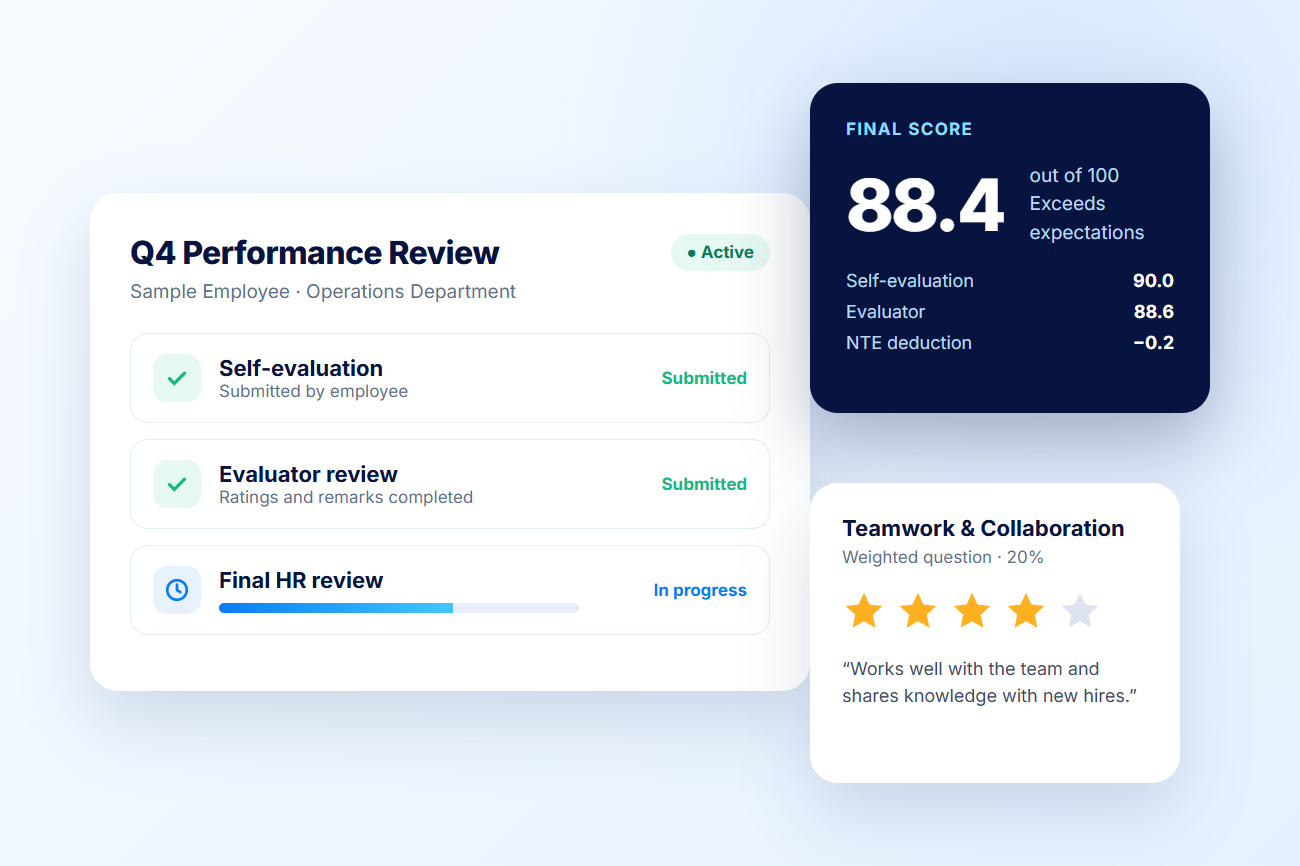
Evaluators add ratings and remarks, then authorized HR compares both submissions and finalizes the official score.
Send invitations and follow-ups through notifications and memos while tracking each employee's evaluation status.
Review self, evaluator, and final HR results, then export professional PDF reports for records and coaching.
Benefits

How It Works
Set up sections, weighted questions, and rating scales once and reuse them.
Choose the period, assign employees and evaluators, and send invitations.
Employees complete and submit their own evaluation.
Evaluators rate and comment, then HR finalizes the official score.
Review final results and export PDF reports for records and coaching.
Build connected, dependable HR workflows with IcyPay HRIS.