Unified KPI Dashboard
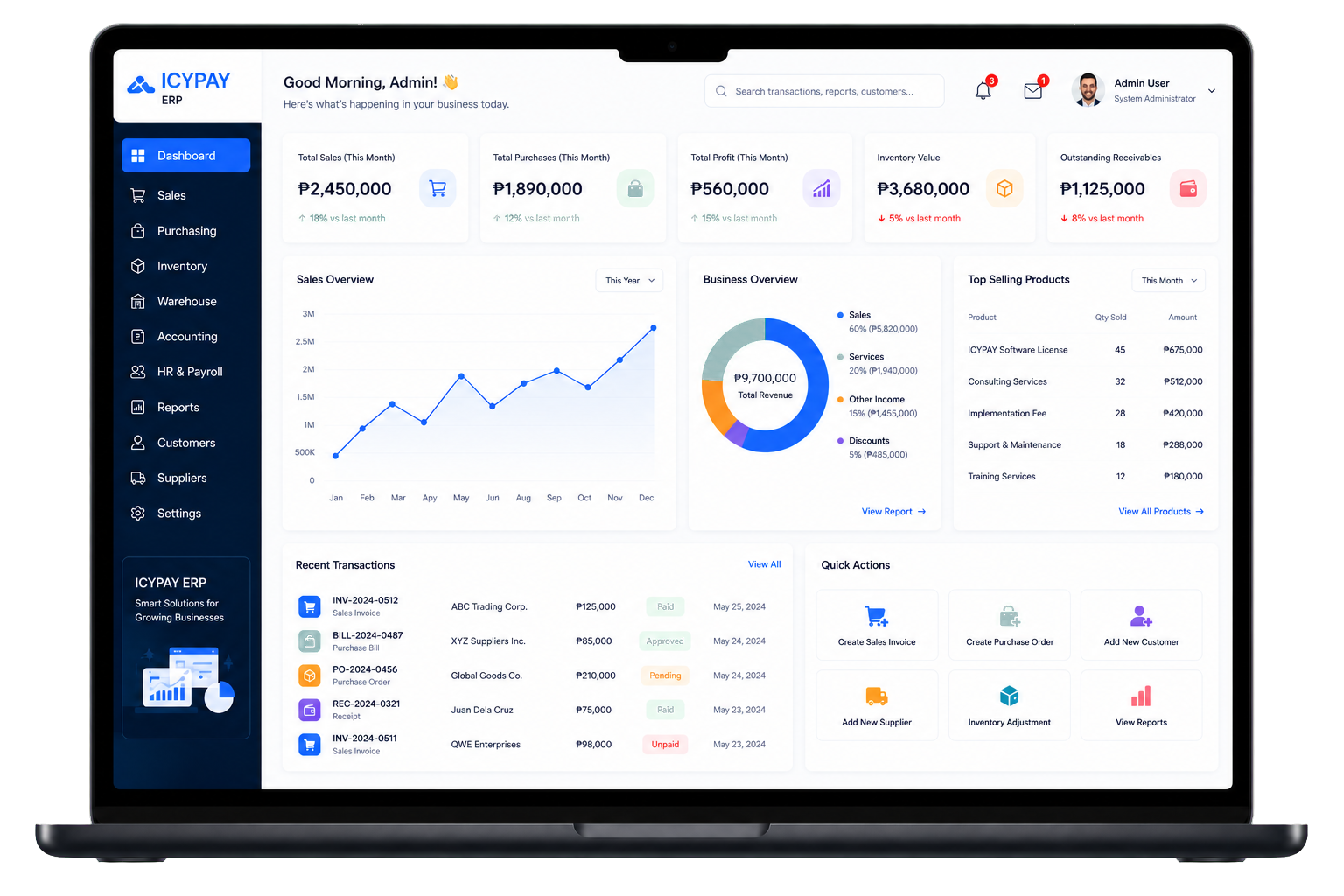
Monitor important sales, purchases, profit, inventory, and receivable metrics from one workspace.
ERP Feature
See sales, billing, inventory, accounting, and operational performance in one connected ERP workspace.
Overview
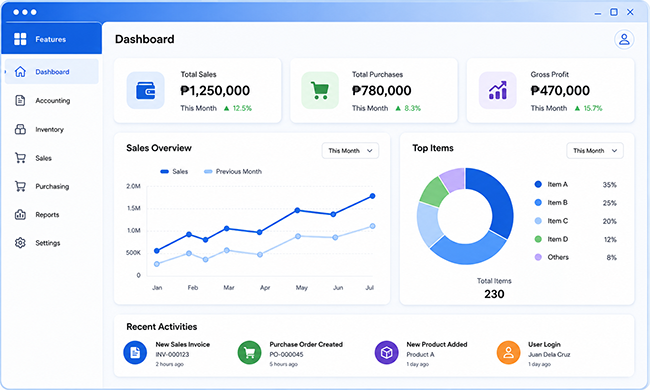
The IcyPay ERP Dashboard brings essential operational and financial indicators together so decision-makers can monitor activity, identify changes, and move from insight to action faster.
Key Features
Monitor important sales, purchases, profit, inventory, and receivable metrics from one workspace.
Review business movement and operational trends through clear, practical visual reports.
Keep revenue, billing, collections, and financial performance visible to authorized users.
Track inventory value, stock activity, and product performance alongside connected operations.
See recent transactions and important system events without moving between multiple modules.
Launch frequent ERP tasks directly from the dashboard to reduce unnecessary navigation.
System Preview
Explore a sample IcyPay ERP dashboard that brings connected operational and financial indicators into one clear view.
Benefits
How It Works
Bring sales, billing, products, inventory, and accounting records into the ERP.
Keep dashboard indicators current as authorized teams process daily transactions.
Transform connected operational data into useful KPIs, charts, and summaries.
Monitor trends, exceptions, recent transactions, and areas that need attention.
Move directly into the relevant ERP workflow and respond using better information.
Bring your operational data together with the IcyPay ERP Dashboard.